Web Design Discounts and Free Hosting Offered to Naperville Non-for-Profits
We have been helping Naperville area non profits by presenting them an online advertising medium to market themselves without breaking their bank, a new website. Now they have extended the offer to all of DuPage and Will county not profit organizations. For only $1000, we will build a five page WordPress website which includes a blog, on board SEO, reporting and statistic capabilities, and free hosting for three years. The $1000 fee covers the cost of administration and some of the labor. The rest is a donation of Design & Promotes time.
Does Your Naperville Non Profit need a website?
A web site design is a great way to convey a organization’s message to its audience. It can be compared to an expanded, full color, informational brochure that is at the people’s fingertips 24 hours a day/7 days a week. You can also add a “contact us” feature to your website to make it convenient for anyone to reach you.
By having an online presence you can increase your market share significantly. You are not limited to your local trade area, now you will be making your organization and its message available globally. By having a well designed website, information about your services will be available for everybody to see. Visitors will be able to get a much better idea about your non profit organization because you can feature multiple pages on your site with greater details.
With a website you can revamp your internet marketing plan and begin to advertise via your website for only a fraction of the cost of costly mailings and print advertising. Online advertising is more targeted to a concentrated audience. People who visit your website are there because they have an interest in your product or service. People can sign up for newsletters through your website then you can send it to them via e-mail. By collecting e-mail addresses from willing visitors to your website, you can stay in touch with them without having to pay for printing or postage. You also have the capabilities of tracking your visitors and how they have reached your site.
In the end every nonprofit organization needs a website. People are now turning online to find information, and if you do not have a presence on the Internet you are limiting yourself significantly. Having web presence makes it so much easier to send your non profit’s message, program and events to the public.
Contact Us Today For More Information
3 Easy Ways That Linkedin Can Help With Seo For Your Website

Here are 3 easy tasks that you can do in Linkedin to help with the search engine optimization of your website. SEO at it root is all about keywords and back links and here is how you can leverage your Linkedin profile for both.
1. Add Your Keywords To Your Personal & Company Profile
Once you log into Linkedin go to top menu Profile | Edit Profile
The Summary Area should explain what you do in detail and the description should include some of the keywords that your website is focusing on. If you have mostly local customers, don’t forget to include the areas that you serve.
Under the Experience Area make sure that it links to your company LinkedIn profile, create one if it is not already listed.
2. Add Keyword Links to Your Website & Inner Pages
Under the Websites Area take advantage of all 3 links and add them as the other link category using the right keywords.
A few examples that I might use for my Chicago area internet marketing, web design and search engine optimization company are below:
• “Internet Marketing Chicago” pointing to my home page.
• “Chicago SEO” pointing to my page about search engine optimization.
• “Web Design Chicago” pointing to my page about website design services.
The important thing is to use all 3 links along with a good keyword, not just the usual “My Company” or My Website.
Below is a video on more effective links for SEO
http://www.youtube.com/watch?v=r8xfiVtAbXk
3. Add the Linkedin WordPress app to point to your blog.
Back to the top menu in Linkedin, go to More | Application Directory and add the WordPress application pointing to your WordPress blog.
Don’t have a blog yet? maybe you should talk to me about creating one for you, it is a great way of adding fresh relative content to your website, staying in touch with customers & prospects and you can focus on new keywords with every post.
LinkedIn Extra Credit
Join local and related groups, add and interact in any groups that your prospects may be in, I’m sure there are some local groups that you can identify and join. Ask and answer any questions in the discussion area, add links to your latest news etc. I suggest that as you join groups you can have updates sent to you weekly instead of daily unless you want to be bombarded with emails.
Recommendations: I suggest first connecting to all of your clients and prospects, not just your peers.
Adding a Linkedin recommendation to your client right after you sell a large project is a great way of saying thank you, most likely they will reciprocate and you will receive one back in return. Better to do it this way than the lame way of asking for recommendations I feel.
Status Updates: It is good to post status updates on a daily or weekly basis and if you link to a good resource on your website all the better.
I hope that I explained these 3 steps that Linkedin can help with SEO so that you can put them into practice easily, if you get stuck on anything just let me know and I’d be happy to help.
My personal LinkedIn Profile is: http://www.linkedin.com/in/brucejones630 Feel free to add me as a connection and any recommendations will be reciprocated.
How This Chicago SEO Firm Can Help Your Website Get Found Online
How Search Engine Optimization Can Help Your Chicago Website Get More Visitors
Anyone who’s anyone has a website these days, from Chicago businesses and professionals wanting to better serve their customers to people looking to provide convenient communication outlets. But how do you know that people will find your site among the millions of other websites that exist on the internet? How can you increase the chances that your site will be indexed and rank higher on search engines like Google, Bing, or Yahoo? Popular search engines use complicated algorithms and automated analytic tools (wh
ich are sometimes called “spiders” or “crawlers”) that scan each web page to determine relevance and rank on a particular subject or topic. You need to be clever in order to make your web pages pertinent to spiders and crawlers, but it’s certainly not impossible to accomplish. Here are three words that can help you and your website succeed: search engine optimization.
Search engine optimization, often referred to as the acronym SEO, doesn’t employ a one-size-fits-all formula. In order to effectively use SEO, you must be dedicated and you must follow the rules. As a solid beginning to the SEO process, you should analyze common search terms and search trends of customers regarding your particular industry, your specific company, or both. For example, a promotional products company would need to optimize for more keywords and keyword phrases than just “promotional products” and “promotional items”; customers of that industry are also likely to search for terms like “stress balls” or “personalized sports bottles,” among many others. Deciphering heavily-used keywords for your web pages is just one of the important SEO steps that you can take.
You can often increase your visibility by including commonly-queried terms, words, and phrases in your page content. Conduct some research if you don’t know which keywords and search terms are common for your industry or business, and be a thorough sleuth. Which keywords are searched for most often? Which keywords do you think people would be most likely to search for if they were in need of services you provide? After you’ve discovered those keywords, use them to your advantage! Weave popular keywords into your writing and make them sound as natural as you possibly can, but be sure not to go overboard by stuffing keywords into your copy. Keyword-stuffing is frowned upon by search engines and can cost you a high ranking if your content is deemed as such by crawlers and spiders. Keyword-stuffing is cheating, and you’ll never win the ranking race if you get caught trying to fabricate your relevance!
Once you have common keywords in place on your site, also try cross-linking a few of your web pages to one another in order to boost relevance. You can emphasize online visibility by linking to your most important pages from other pages. If your “Contact Us” page gets more traffic than anything else on your site, then link to it from as many other pages as you can and you’ll increase the ways in which it can be found and read. If your “Frequently Asked Questions” page includes questions that can be answered with information on your other pages, then include links to them so visitors can navigate to them if needed. Analyze the keywords you’ve used and decide whether or not any of them could be explained or better understood with a link to another one of your web pages. Just like being wary of your keyword use, be careful not to go overboard with links or your page will appear spammy to visitors. You could also speak with other webmasters about link exchanges, but you’ll want to use caution and only link to credible sites. Remember, you want to make it as easy as possible for visitors (and crawlers) to find your popular pages in order to increase traffic, popularity, and ranking of your site, but you must do everything in moderation.
Website layout is crucial to search engine optimization as well. Have a third party take a look at your company website and evaluate the layout, content, and general usability of it and then make note of any improvements that could be made. You may think that your keywords and keyword phrases sound natural or that your page links connect to their appropriate pages, but you could be mistaken! Verify that your website incorporates a user-friendly layout and organized information that’s easy to follow, and you could also improve your page’s relevancy through SEO. As a rule of thumb, put the page’s most relevant information toward the top and then work your way down from there; think of the upside-down triangle analogy that’s common in journalism—a story’s most important details should be toward the beginning of the article in order to draw in the reader, and then less crucial details should gradually taper downward toward the end of the article. Spiders and crawlers won’t make it far on your page if you put all of the most relevant and keyword-rich content in the last paragraph!
Essentially, SEO is the art of using keywords and keyword phrases to your advantage however possible on your site; you will increase your chances of getting found online if you optimize your content and copy, choose quality links and back links, and organize your page layout based on relevancy. SEO produces outstanding results when it’s done correctly. If you don’t feel comfortable implementing these search engine optimization strategies yourself, then remember there’s no shame in hiring a qualified Chicago SEO expert to assist you.
Why A Dynamic URL Structure Is Bad For SEO
Why Static URLs are Best for SEO
When attempting to improve your site’s ranking, it can be productive to examine your URL structure and do what you can to make it more SEO responsive. Namely, if your URLs are dynamic, it would be in your best interest to change them to static.

What is URL Structure?
URL structure is one factor that helps search engines find you. Search engines generally find “clean” URLs faster and easier, which would translate into a static URL, or a URL that never changes, doesn’t have symbols, and uses keywords. Some examples of dynamic vs. static:
A dynamic URL, which changes based on what database it was found by:
http://www.example.com/forums/thread.php?threadid=12345&sort=date
A static URL on the other hand, is a URL that doesn’t change and ideally uses keywords. It looks like this:
http://www.example.com/forums/the-challenges-of-dynamic-urls.htm
Dynamic URL vs. Static URL
A dynamic URL structure means that your URL is stored in a database and can change based on what database led the reader to your site.
The downside to a dynamic URL is that search engines don’t like them as much as static URLs, meaning they have a lower click-through rate and they can lead to duplicate content problems.
A static URL means that the URL cannot be changed unless the HTML code is re-written.
The advantage to a static URL is that search engines find them faster, and they help to keep your server more organized. Additionally, it’s easier to use keywords in the URL, which attracts users, and results in more click-through.
Should You Switch?
If you use dynamic URLs you should switch to a static URL structure. It will help keep your site more organized, increase your click-through rate, and help your site get found faster and easier by search engines. Additionally, you would only have one URL assigned to each page and product.
When you make the switch, you should make sure your URLs are more consequential and use keywords.
For example, instead of having a URL that says www.example.com/store/prod1.html, you could have a URL that uses a keyword and looks more like this: www.example.com/websitedesign.
When a customer sees this URL, they will know exactly what the page will hold — a page on web site designs.
The Bottom Line
Static URLs have an advantage. They are easier for search engines to read and your users can easily figure out what the URL will lead them to. Using keywords within the URL structure gives static URLs a lead over dynamic URLs. To increase your click-through rate and help out your SEO, I suggest you make the switch.
Why It Is Not Enough Just To Get To Page 1 Of Google
Here are a few graphics that show the click distribution for the first page of Google search results.
Notice the difference in the number of clicks between having your website in the top 3 results as opposed to being at the bottom of the page.
So you see that just being on page one of Google is not enough if you really want your website to stand out above the rest and get more clicks than your competitors.
Over 75% of the clicks go to the sites that are in position #1, #2, or #3.
Do you know where you rank for your keywords? contact us for an in depth report and analysis of what it would take to get your website to the top.

Step By Step Inbound Marketing
As I speak to different Chicago business owners and execs about search engine optimization campaigns that Design & Promote can provide them with and am often asked this question “what steps do we need to follow to be the most effective with inbound marketing”.
I understand some companies would like to handle SEO in house and feel that if they just had an instruction sheet that they could hand to their marketing manager or website guy or girl and everything would be peachy.
There are quite a few steps and many rules and best practices to follow to be successful at inbound marketing but here is a primer for you.
To learn more about search engine optimization or to get a free seo analysts of your website just give our office a call. 630-995-7109
On Page SEO
1. Add Statcounter and Google Analytics – You will want to benchmark where your site is before you start improvements and you will also want to take note of what keywords are already possibly ranking well.
2. Keyword Research – Search for high volume related keywords using the Google Keyword tool , select exact match on the left and check the ones that fit. Export these to a spreadsheet and do a Google search using allintitle: in front. This search will give you the number of competitors online. Do not pick keywords that have too much competition, better to be on the top of a small mountain than at the base of a large one. Add town modifiers if you have a local business. Time spent here will make or break your seo campaign. Check your competitor’s keywords and back links.
3. Change Page Titles – These should be up to 70 characters in length and contain keywords and be relative and different for each page of your site.
4. Change Page Descriptions –These should be up to 150 characters or less in length and have keywords, a call to action and be unique for each page.
5. Change Page Keywords – You should add no more than 10 keyword phrases separated by commas and be relative and different for each page.
6. Add Alt Image Tags – Add an alt description tag to every image that includes a keyword phrase. For a bonus change the name of images to match your keywords separated by dashes such as keyword1-keyword2.jpg.
7. Add Keywords To Page Content – Judiciously add keywords to all page content taking note of keywords used in title and keywords tags for each page. If you can include your keyword in a header or sub header font all the better.
8. Landing Pages – Create landing pages that offer high value advanced information such as a white paper in trade for contact information using an email form. The goal here is to capture at least an email address that you can use to follow up or add to your newsletter.
9. Site Navigation – All navigation should include http://www. Not just /
10. Create Site Maps – Add an html and xml site map and submit to Google, Yahoo and Bing.
Off Page SEO
11. Record Existing Back Links – Use Yahoo Site Explorer to export a back link report and save for later comparison.
12. Universal Business Listing – Add your site including a description that include keywords from above $30 http://www.ubl.org
13. Blog Comments – Comment on blogs related to your website’s topic that are meaningful and try to include your keywords in the comment text and your name field.
14. Directory Submits – Locate free niche and local directories related to your website’s topic and submit your site to these.
15. Press Releases – Write a press release where the title and content contains your keywords and provides anchor text links within the body of the release, submit to many online press release sites including the $12 option at http://www.onlineprnews.com I suggest reading their instructions before submitting. One press release per month is optimal.
Social Media.
16. Linkedin – Add your link in your Linkedin profile and update your profile to include a pretty large description including keywords. Add connections and join groups related to your main topic. Connect to your customers and not your peers. Add recommendations to your best customers and business partners. Update your status regularly and sometimes include links to your site or other related resources.
17. Facebook – Create a Facebook page and add links to your website pages, add friends and suggest to friends. Update your status regularly and sometimes include links to your site or other related resources.
18. Social Media Bookmarks – Create an account in Digg, Stumbleupon and as many other sites that time affords and add links to your pages that include your keywords in the title and description.
Extra Credit
- WordPress Blog – Add a WordPress blog to your site and write one post a week taking note to include your keywords in the title and content. Use All In 1 SEO, Google XML Sitemap and ShareThis plugins. Change the Permalinks to Post-Name and add sites to ping list. Link RSS feed to Linkedin, Facebook & other social media sites.
- Article Writing – Create informative articles and submit to http://www.ezinearticles and http://www.goarticles.com
- Hub Pages – Create a Hub Page about your topic and use anchor text back links to your site.
- Squidoo Lens – Create a Lens about your topic and use anchor text back links to your site.
- YouTube Video – Create a video with a title and credit screen that contains your contact info including website and add to http://www.youtube.com and other video sites. Make sure you include a title and description that includes your keywords.
- 301 Redirect – Direct all visitors to www not without by using special code otherwise you will have 2 sets of back links not one.
- Auto Responders – Create a drip marketing email campaign using contact forms.
Reporting & Notes
- These items are arranged in order of importance and should be followed step by step for best results.
- Keep track of your keyword ranking, back links and traffic counts weekly or monthly and adjust accordingly.
- You can’t improve what you can’t measure.
- The top 3 website that come up for each search get 70% of all the clicks.
- 90% of people do not go past page 1 in the search engines, they just search again using a different phrase.
- Over 80% of people use Google for online searches so Yahoo 6%, Bing 4%, and the other search engines don’t matter much.
- Many visitors and no sales means you need a better call to action on your site.
- Until you get more back links than the website in any position you will never top them.
- Link exchanges give away as much power as you gain so the net result is usually not much more than 0.
I hope this helps you understand the many steps it takes to succeed in inbound marketing
What Is The Best Keyword Density for SEO?
When writing an article, website content or blog post, one of the most important considerations is how to get your page to that coveted number one spot in the Google page rankings. There are many factors that go into your Search Engine Optimization (SEO), but one of the most important is keyword density for SEO. Before we can discuss keyword density for search engine optimization, also known as inbound marketing, we’re going to have to define what a keyword is.
What is a Keyword?
The keyword is what a potential customer is going to type into the search box on Google or one of the other search engines when looking for your product or service. Finding out what the best keyword phrase is for your business can be tricky. There are many people right now dedicated to doing research in order to figure out the correct keyword density for SEO. For example, if searching for website design, which would be a more effective keyword? Web site design or website design? Website design wins with 5,425 searches vs. web site design at 2,729. So you can see how important doing your keyword research is.
What is Keyword Density?
Now that you know you understand the importance of doing keyword density for SEO research, it’s time to focus on keyword density. In the most layman terms possible, keyword density is the percentage of times you use your keyword within a post. Percentage is important because it’s how Google and other search engines read your content. Google is going to scan the content on your website and based on what the most used keyword or phrase is, that is how Google is going to categorize your website and then rank it.
How Many Keywords Should I Use?
It’s best to focus on only one or two keywords per page, especially if your keyword is extremely competitive. For example, the phrase: keyword density for SEO gets 8 searches but Chicago gets 5,698. Chicago obviously is the more competitive keyword here. It will be more difficult to get the number one page rank using the keyword Chicago, so it will be important to focus completely on Chicago and not worry about other keywords. But don’t forget that keywords can also be phrases. So adding another word to Chicago can really narrow down your competition. Chicago pizza only has 522 searches. Again, doing your keyword research is incredibly important.
What Should My Keyword Density Be?
Google’s requirements say that no more than 2% of a web page’s words should be the keyword. Any more than that will be considered spam. However, Yahoo and MSN Search will permit as high as 5% keyword density for SEO. Therefore, hitting a sweet spot of between 2% and 5% keyword density is probably your best bet.
How Do I figure Out My Keyword Density for SEO percentage?
There is actually a nice tool that does all the work for you. In fact, I used the tool to figure out that my percentage for my keyword (which was: keyword density for SEO) is at 1.9%. If my keyword was simply keyword density, I would be at 3.7%.
Keyword Research for Titles
We’ve been talking about the body of your website as of now, but it’s important that your title have a much, much higher keyword density for SEO. The title should have between 30% – 75% density.
Keyword Conclusion
When writing, keep in mind what your keyword density for SEO should be. It’s important your content still flows well and is rich in information and entertainment, but doing your keyword research and keeping your keywords in the forefront of your mind will help you get found on the Internet. Love your keywords and they will love you back.
By the way the keyword density of this post for “keyword density for seo” is just under 2%
Find out which keywords your website is currently optimized for with this simple test:
Is your website not optimized for the correct keyword density for SEO?
Our search engine optimization copy writing services can help! Contact Design & Promote today at 630-995-7109.
SEO Presentation For The Glenview Jewish Woman’s Networking Group

Yesterday, I did a presentation covering the basics of inbound marketing for the Glenview Jewish Woman’s Networking Group ( GJW) in one of the conference rooms at the Glenview public library.
Pamela Pearl a business partner and client, invited me to speak to her networking group because of the increase in leads she experienced from a small campaign that we worked on together for IntelliClick Software. IntelliClick is a GoldMine CRM email tracking solution developed by Pamela and her husband Steven Pearl . IntelliClick Software is a Division of Business Automation Solutions, a GoldMine CRM consulting firm, based in the Chicagoland area. Their website is IntelliClickSoftware.com and their focus is on Goldmine CRM eMarketing utilizing email marketing hyperlink tracking and personalized website navigation.
12 women from the group attended and most were small business owners covering many areas including eldercare marketing, financial services, and a nanny agency. They each had a variety of experience levels with internet marketing. Some were already experts in their field, so it was nice to get fresh input and suggestions on what is working for them related to inbound marking in the Chicago area.
After some initial networking I kicked off the meeting with this video –> Did You Know -V 2009
Here is the presentation in PDF format that started from a PowerPoint template that was graciously provided by HubSpot –> Inbound-Marketing-101
I thought that it might be fun to watch this video You Oughta Know Inbound Marketing after we were done with the serious stuff and it did get a few laughs.
After the presentation we did a Q&A session and took a look at a few of the members websites including First Class Care and Focus On Aging, an eldercare marketing company
One of the things I realized that could be valuable to GJW would be an itemized punch list of things that a website owner could do to help with their own inbound marketing efforts. Here is a quick list I came up with that entails all the steps that would help to get your website found online and convert leads into customers using search engine optimization. Here is the list –> Step-By-Step-Inbound-Marketing
I’m looking forward to being a helpful resource for the Glenview Jewish Woman’s networking Group and am happy to present something similar to the other members of your group.
Just contact me for details on how I can help members of GJW succeed in inbound marketing.
Having A Website Was Important Yesterday: Why SEO Is Important Now And For The Future
As we reach the end of 2009, more and more companies are realizing the importance of having a web presence. A large company knows how imperative it is to have a website and be active in the online conversation, but even small businesses are finding it harder to compete without a website.
Just five or ten years ago, the competition for local search results was much lower. If, for example, your auto shop in Naperville decided to create a website back then, there would be a good chance that it would easily end up high on the search engines for certain keywords like Naperville auto shop or Naperville car repair. As long as this site was easy for Google and other search engines to find, it wouldn’t require a lot of effort to have good search results.
As most of us know now, getting clicks from Google has become extremely competitive, and companies are even paying thousands of dollars a month to have a sponsored link on Google. Instead of throwing your money away on every click that doesn’t convert to sales, why not focus on the organic search results that you don’t have to pay for? Once your website is at the top of Google for your most important keywords, you won’t have to pay for every visitor to your site and you can have significant increases in total visitors to your website.
Like I said earlier, the more competitors who have a website, the more important it will be to focus your efforts on SEO. Search Engine Optimization goes beyond creating a good website with engaging content. After all, what is the point of even having a website if people can’t find you on Google and other search engines?
At Design & Promote, we will work with you to closely evaluate how we can get your website closer to the #1 position on Google. SEO is an ongoing task that requires an initial time investment, but it rewards companies in the long run with exposure to more people than any advertisement can generate.
With a higher ranking on search engines, your website is bound to get more visitors. Over time, this will not only increase your revenue, but also increase the popularity in your brand. More people will become loyal to your product or service, which will help spread the word that your company is offering something everyone needs.
Today, it is imperative that you use proper SEO techniques that will lead to long-term growth. Find a good SEO company that will do quality research, measure their efforts, and report progress frequently. A well-balanced Search Engine Optimization approach will finally make you happy that you invested in a website in the first place.
Meta Descriptions Are Important Get Control Of Yours!
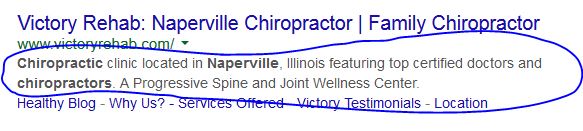
There are a lot of people arguing over meta tags and their influence on search engine optimization. Since no one knows exactly how search engines work, it seems logical that it would be important to do everything in your power to have the most success. Therefore, it is definitely in your power to add relevant titles, keywords and descriptions to all of your web pages. Our focus today is on meta description tags, because it is looking like now more than ever before, they will be playing a larger role in your search engine success.
A month or so ago we posted this article on Using Keywords To Create The Most Efficient Website Title, which outlined the importance of titles and how to write a good one. We will be getting to some tips on writing affective descriptions, but let’s first start with why they are so important.
Google is constantly changing how they measure websites and list them on search results for certain keywords. This is why it is so important to have a professional SEO company that knows the latest trends in the different search engines. What was important yesterday or a year ago might actually hurt your search results tomorrow or somewhere down the road.
We are seeing a strong difference in the importance of the meta description on your web pages compared to the past. For example, what Google and Yahoo used to use in place of your description on their search results was the description your website had on different open directory sites. Now, you can add the “NOODP” and “NoYdir” meta tags to your pages to prevent this.
This type of change by Google indicates that they are giving more control to the website owners in terms of what they want to display in the description on the Google search engine results page. Another difference is that Google used to always disregard the meta description and just use a snippet of information from the specific page that ended up on the search results. However, Google is now choosing to use the meta description in certain instances, when they feel like it is relevant to the search query. Watch this short video by Google’s Matt Cutts to hear how they are changing their philosophy on meta descriptions.
As you can see, it is important to have a description not only on your homepage, but to include a unique one on all of your website’s pages. If you don’t, Google will always just use a snippet of information that you can’t control. Like Matt Cutts said, Google isn’t always using the description, so in order to have the most control of the search result that is your first impression to thousands of people, you need to write the most relevant and helpful description possible.
Here is some basic information to get started on writing a quality meta description:
- Google will display a maximum of 160 characters, so keep the description down to 5-24 words to make sure a searcher can read the whole thing
- The description promotes your company—use appealing words that will attract people to click on your link
- Like we said earlier—write a different description for every page to make it relevant to the content on that page and better for search results
- Include the specific page’s keywords in the description to increase search results
Whether you believe the meta description on your website pages will affect how close you end up to the number one position on Google or other search engines or you don’t, you definitely need to realize that SEO isn’t just about making the robots happy. Enticing the people that search for your product or service is the most important part of SEO, so remember to write descriptions that people will want to learn more about.